Capture the night
Start with a calm recording flow, safety checks, user notes, and sleep context.
 SomnoRoute

Sleep insight and night reports
SomnoRoute turns the phone app, SomnoRoute Watch, night recording, movement, heart-rate context and audio evidence into one clear NightMap and professional plain-English reports.
SomnoRoute NightMap
Instead of separate charts, SomnoRoute lines up snore events, Watch movement, heart-rate context and report evidence on the same night timeline, so patterns are easier to review without making a diagnosis.
Heavy snore cluster followed a movement burst, with heart-rate context marked for comparison across more nights.
The SomnoRoute idea
Most sleep apps show numbers. SomnoRoute is being shaped around the questions people actually bring to bed and wake up with: how well did I sleep, how heavy was the snoring, and what should I compare next?
Start with a calm recording flow, safety checks, user notes, and sleep context.
Bring Sleep Quality, Snore Burden, snoring evidence, trends, Apple data, and Android data into one readable view.
Explain what changed, what to watch, and when it may be sensible to seek professional advice.
Apple and Android
With user permission, SomnoRoute is designed to connect the phone app, SomnoRoute Watch movement, and relevant Apple or Android sleep and wellness data with the app's own night-by-night record.
The iPhone app and SomnoRoute Watch experience can support sleep windows, movement epochs, rhythm, heart-rate context, recovery context, and easier night review.
Android routes such as Health Connect can support a joined-up view for Google ecosystem users.
Snoring evidence, user notes, reports, and practical next steps stay centred in the app experience.
App preview
These current app screens show the updated SomnoRoute flow: portal sync, Plus review, Snore Burden, audio evidence, and report-ready context without getting lost in numbers.
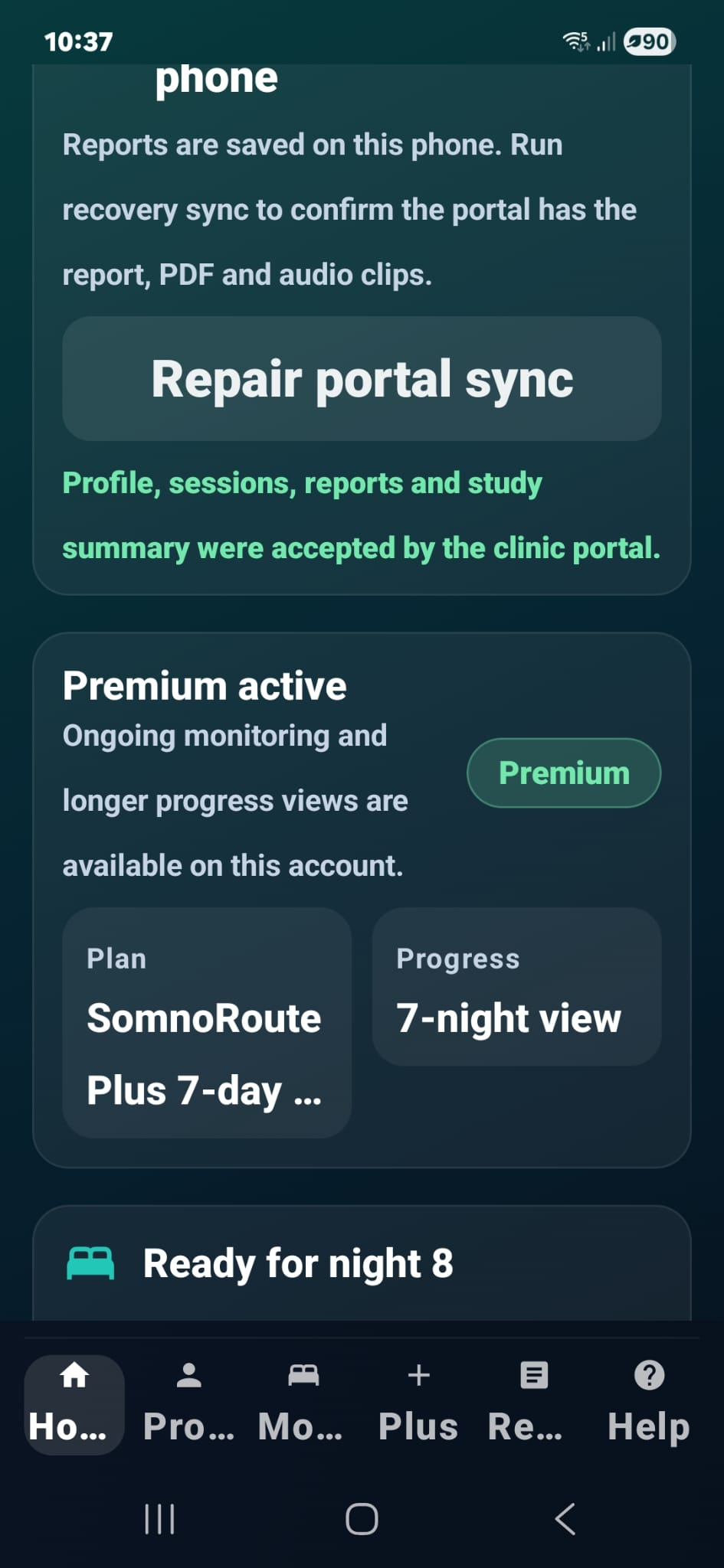
The current home screen keeps reports, portal sync, premium status, plan progress, and the next recording night in one clear place.
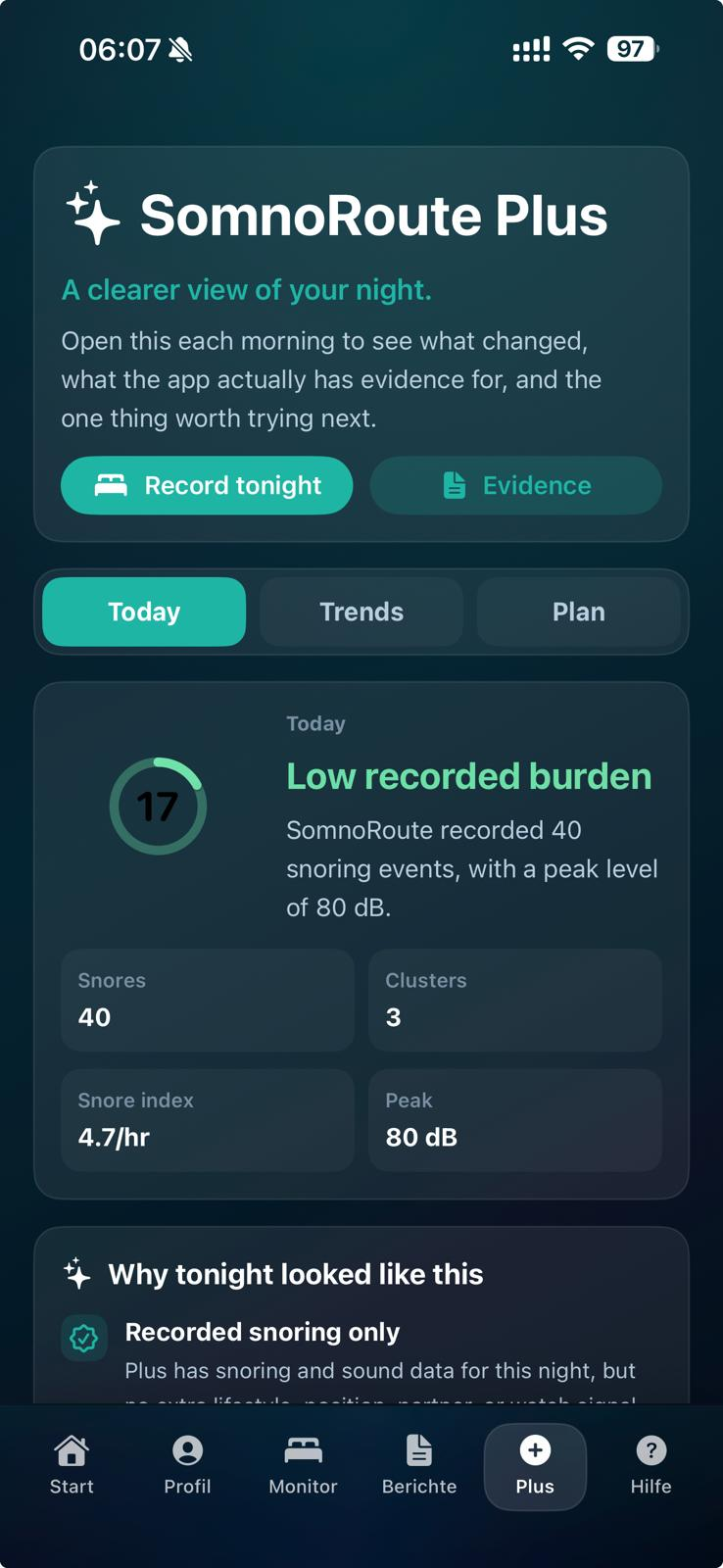
The updated Plus view puts burden, snore count, cluster count, peak level, evidence, trends, and the plan route into the morning review.
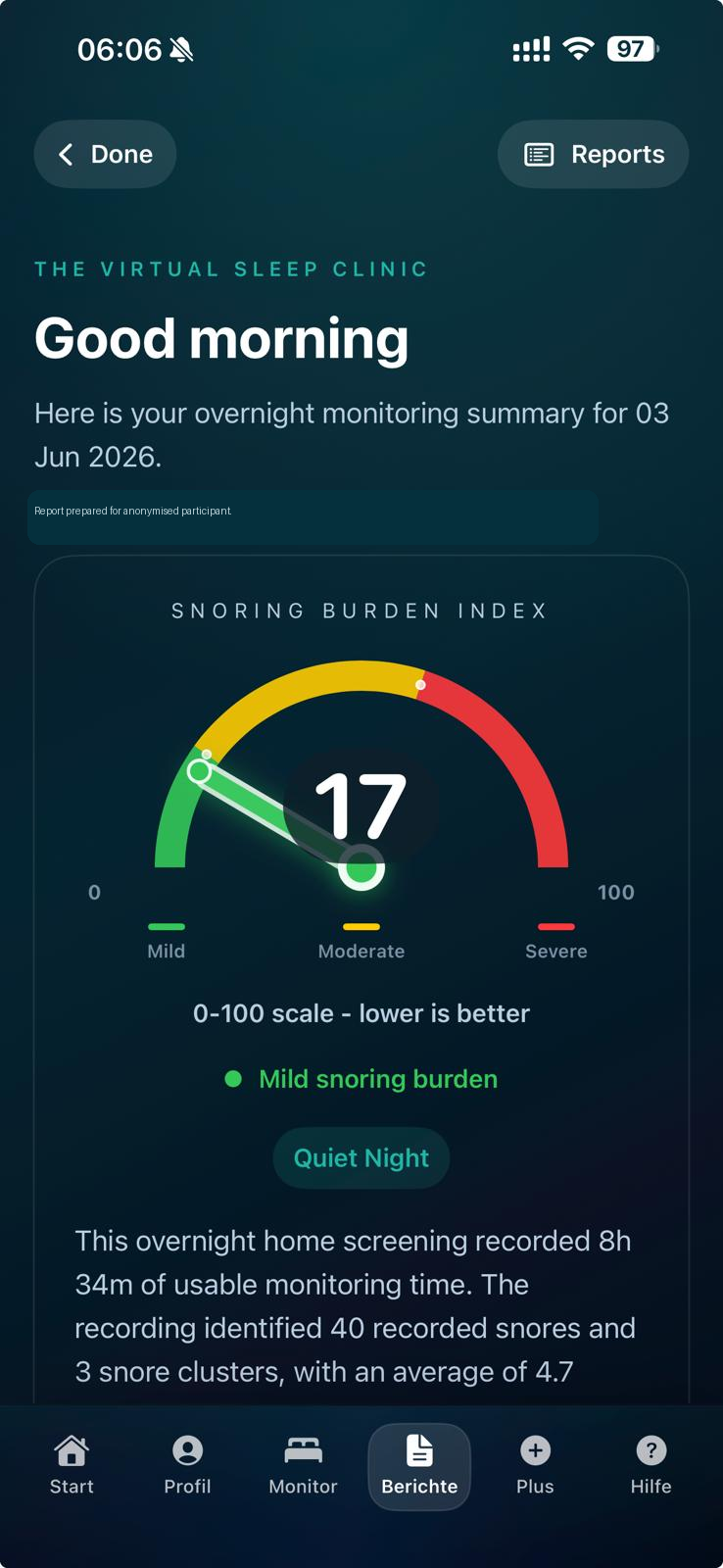
The report wheel gives users a fast read on how the night looked, with burden, duration, detected snores, clusters, and average score together.
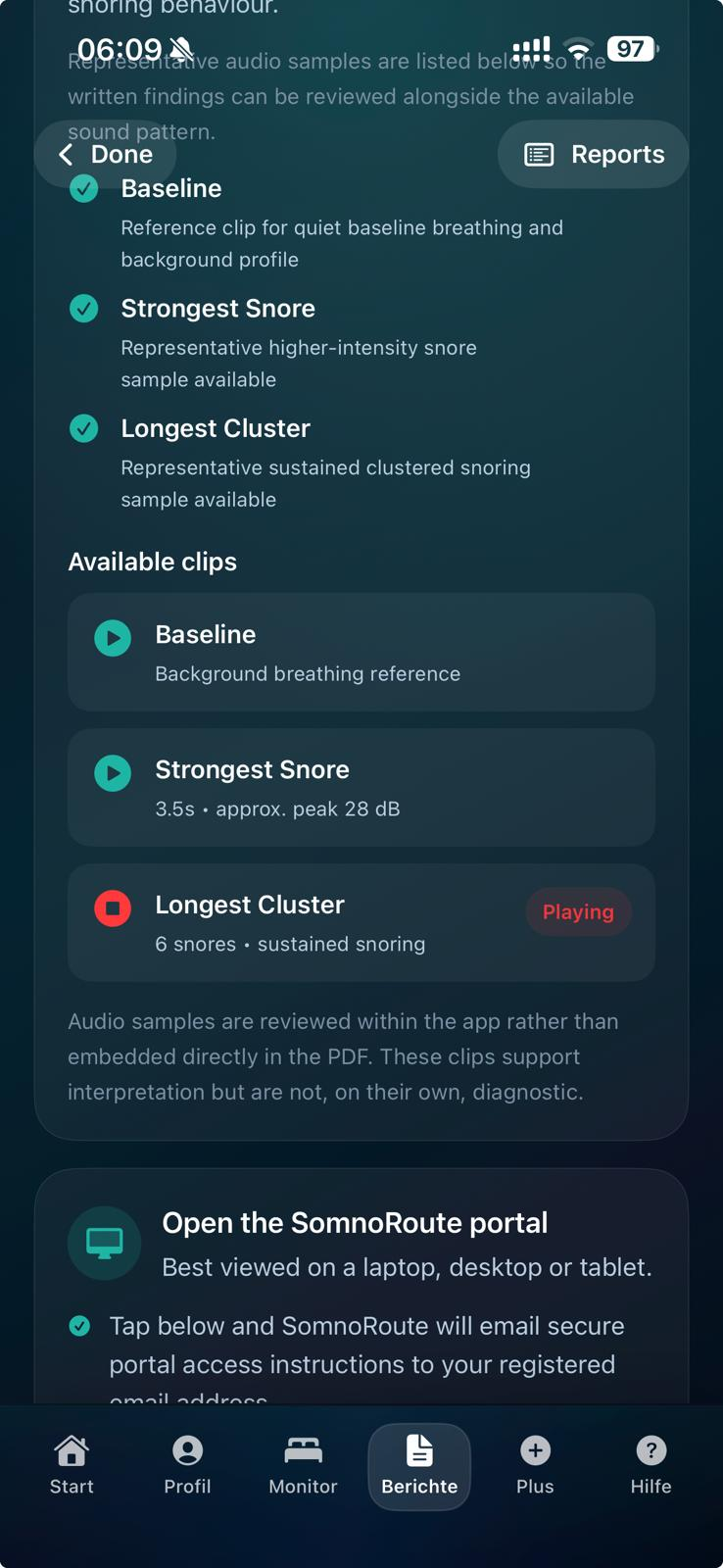
The current evidence view groups baseline, strongest snore, longest cluster, and portal access so the PDF and clinic route have useful supporting context.
Report PDFs
SomnoRoute creates one night report from the server workflow. It can show Sleep Quality, Snore Burden, timing, intensity, audio evidence, movement context, and heart-rate context. When the user gives permission, Apple Health or Android Health Connect data can be added inside the same PDF.
Localised PDF previews will be added after the server report workflow regenerates approved reports in this language.
The report explains how the night looked overall, how much snoring was captured, when it happened, and whether the burden looked light, moderate, or unusually heavy for that user.
Clusters can show whether snoring appeared in short bursts, sustained periods, or repeated blocks across the night, making the result easier to understand.
With permission, SomnoRoute can line up snore timing, Watch movement, heart-rate context, oxygen, activity, or recovery context to describe the night more clearly without proving cause or making a diagnosis.
SomnoRoute can turn the signals into careful plain English: what changed, what to monitor, and when it may be sensible to seek professional advice.
Guided explanation example
A high Snore Burden means SomnoRoute captured a heavy snoring night. The useful part is not only the score; it is how Sleep Quality looked, where the snoring clustered, how long those clusters lasted, and whether movement or heart-rate context looked different around those moments.
If the night was heavy, SomnoRoute can suggest one simple thing to compare next: sleep timing, position notes, room setup, or whether alcohol was part of the evening.
If quieter periods line up with less movement, steadier pulse, oxygen, or recovery context, SomnoRoute can mark it as a pattern to watch across more nights rather than a confirmed explanation.
If heavy snoring keeps repeating, or the user is worried about breathing, tiredness, or health risk, the report can suggest discussing the pattern with a qualified professional.
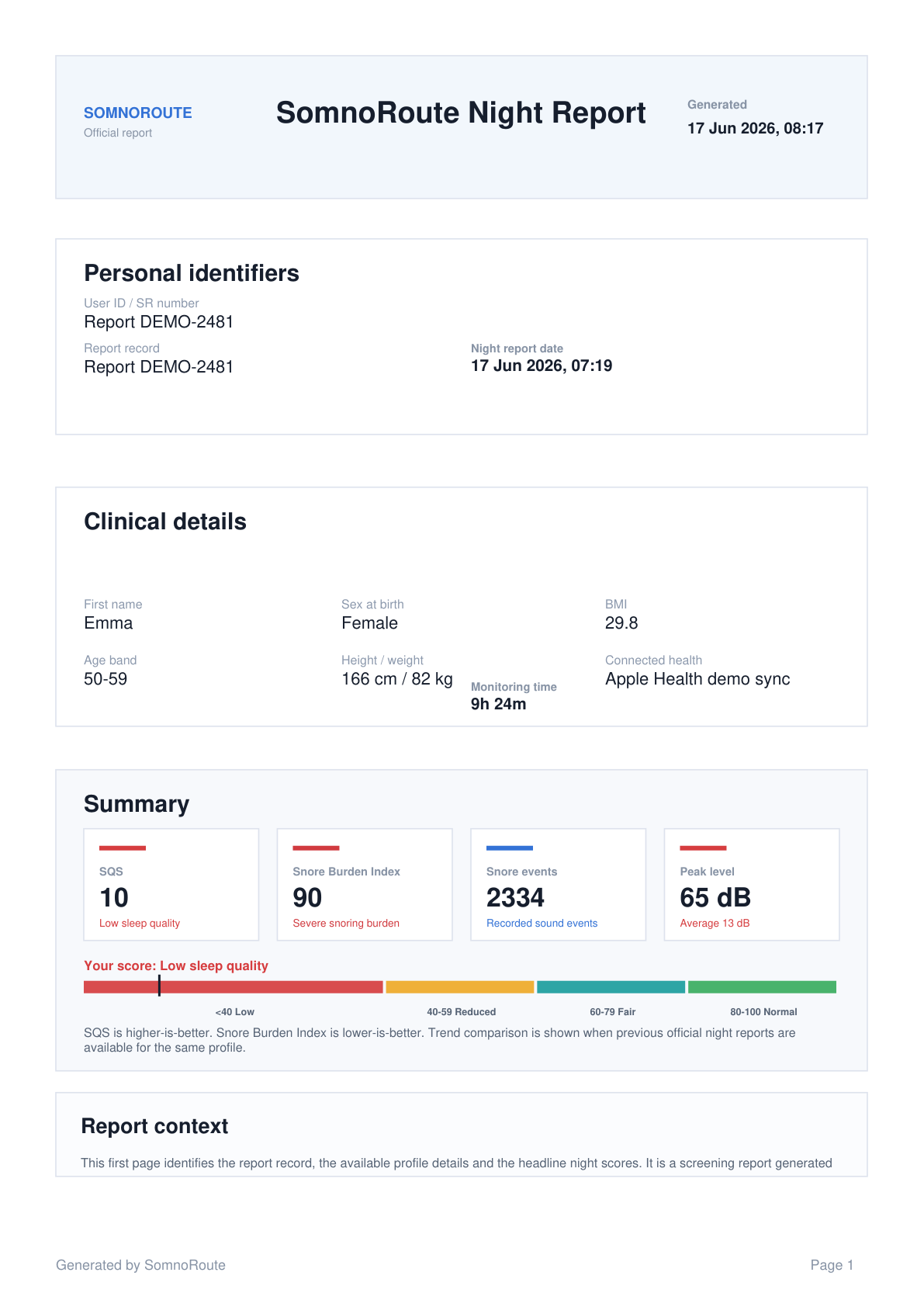
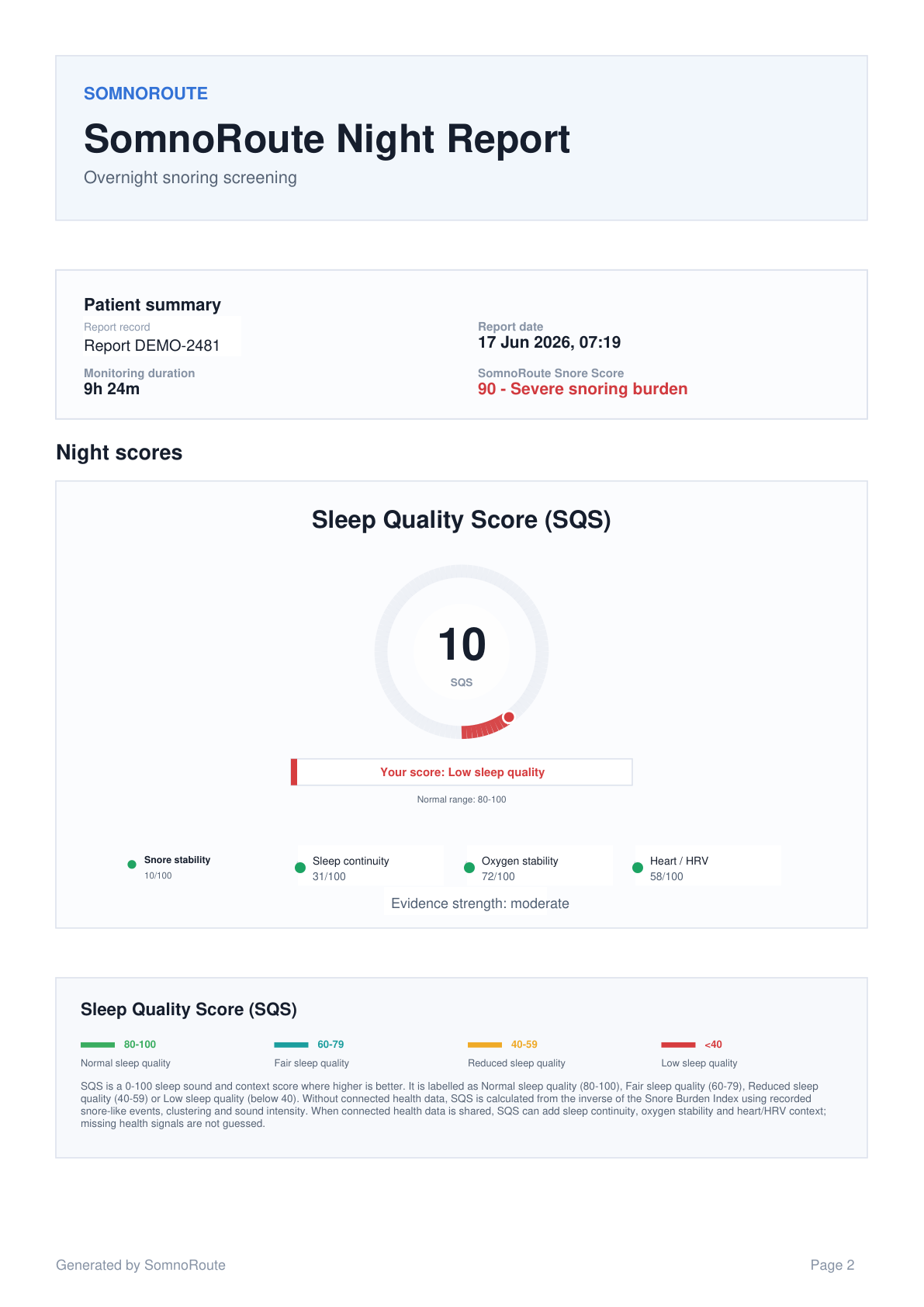
Previewing pages 1-2 of a 6-page server-style demo PDF, showing made-up user details, Sleep Quality, severe Snore Burden, connected health evidence, maps, and next-step interpretation.
Open PDF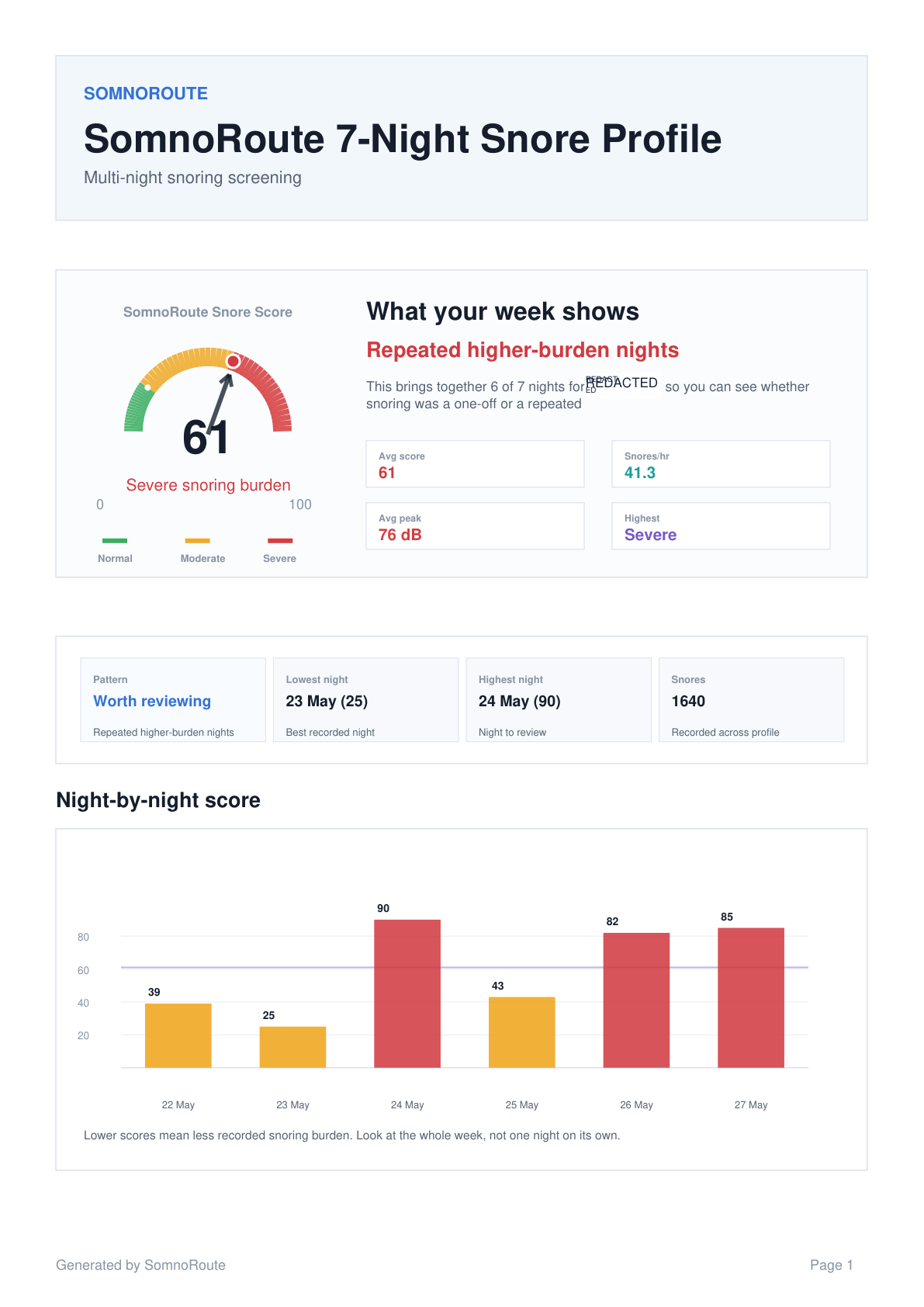
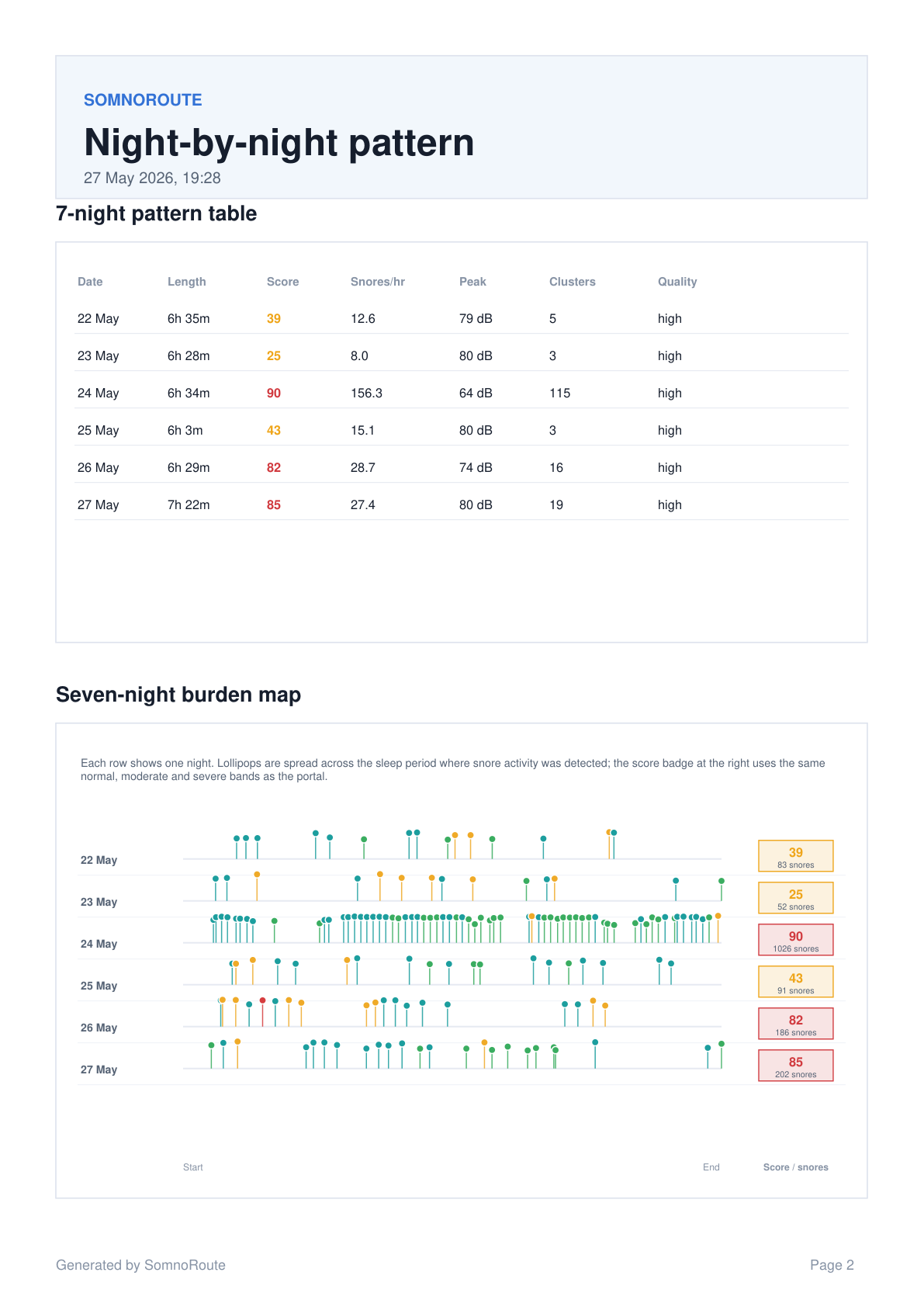
Previewing pages 1-2 of an example 4-page profile showing repeated patterns over several nights.
Open PDFPrivacy and safety
Apple and Android data access is designed to be optional, clear, and controlled by the user.
SomnoRoute helps with awareness and tracking. It does not diagnose sleep apnoea or replace professional advice.
Users can summarise relevant sleep notes and trends when seeking professional advice.
Learn more
These pages cover the questions people ask most often about snoring, home sleep testing, connected health data, privacy, and app support.
Understand the difference between ordinary snoring and warning signs that may need medical assessment.
See what a home sleep test may record and why it is commonly used.
Review the warning signs that may make persistent snoring worth discussing with a clinician.
Read how SomnoRoute approaches permission-based health context, data sharing, and safety wording.
Private beta and launch updates
Join the SomnoRoute list for iPhone, Android, SomnoRoute Watch, sleep report, Apple Health, and Android Health Connect launch updates.
Common questions
These answers are written for people reviewing the preview and deciding whether SomnoRoute is relevant to their sleep and snoring questions.
SomnoRoute is a sleep insight app for iPhone, Android, and SomnoRoute Watch getting ready for launch. It helps users record the night, review Sleep Quality and Snore Burden, inspect movement, heart-rate context and audio evidence, and understand patterns without replacing medical advice.
A SomnoRoute night PDF is calculated on the server and can show Sleep Quality, Snore Burden, timing, intensity, audio evidence, movement context, heart-rate context, connected health context, and practical next-step interpretation. The current preview shows a 6-page server-style connected health demo report.
With permission, Apple Health or Android Health Connect data can add context inside the same SomnoRoute report workflow. The health data is context, not a separate report engine.
SomnoRoute Watch is part of the companion experience for people who want movement context during a night recording, so the report can compare snore timing with movement and heart-rate context where available.
No. SomnoRoute is for sleep and snoring awareness, tracking, and reports. Users with health concerns should seek advice from a qualified healthcare professional.